 SmartOBD
Your check engine light, explained. And shown on your car.
Plug in a Bluetooth adapter, scan, and SmartOBD tells you what the code means, how soon to deal with it and what it might cost. Then it shows you exactly where the problem is on a 3D model of your car.


Three steps.
-
Plug in
Push a Bluetooth OBD-II adapter into the port under your dashboard, turn the key, and connect from the app.
-
Scan
SmartOBD reads the codes behind the check engine light, plus the freeze frame of what the engine was doing when it set.
-
See it on your car
Get a plain English verdict, then tap to see the part that needs attention glow on a 3D model of your car.
Less guessing. Fewer surprises at the shop.
A straight answer from the AI mechanic
Codes like P0306 do not mean much on their own. SmartOBD looks at all of your codes together, with your car's year, make, model and engine, and tells you what is probably going on.
- Likely causes, ranked from most to least likely
- DIY and shop price ranges, so you know what is fair
- Follow up questions like "Can I fix it myself?"


See where it is, not just what it is
Every code points to a real part. SmartOBD opens the hood, doors or tailgate, switches to x-ray, and makes the bad part glow, so "ignition coil, cylinder 6" turns into something you can actually find.
- A live 3D model of your kind of car
- Hood, doors and tailgate open with a tap
- X-ray view for parts buried deep in the car


The right engine for your car
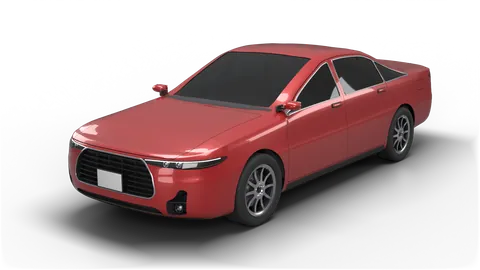
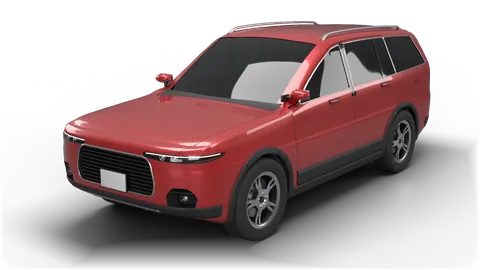
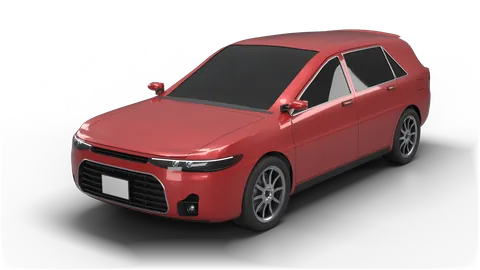
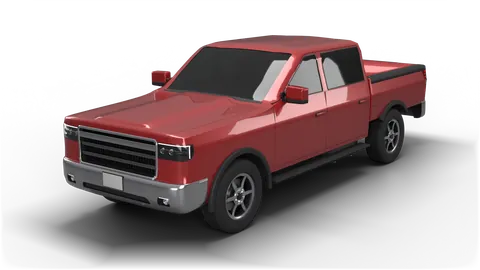
A four cylinder Accord and a V8 Silverado have very different things under the hood. SmartOBD uses your VIN to show the right engine for your car, from four cylinders and turbos to V6, V8, diesel, hybrid and electric.
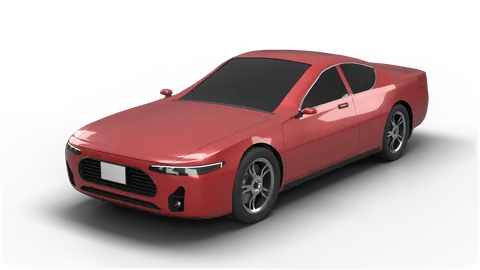
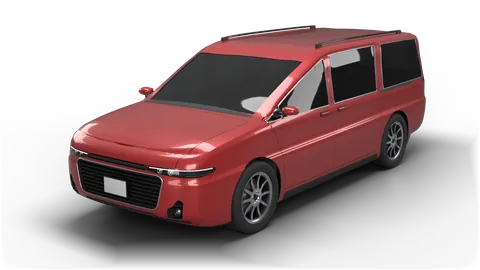
- Six body styles: sedan, SUV, hatchback, truck, coupe and minivan
- The engine layout and drive type that match your car
History for every car, and a report for your mechanic
Every scan is saved on your phone, per car, with a note if you want one ("replaced coil 6"). When a code comes back, SmartOBD tells you it has seen it before.
- Scan history kept on your phone, not in an account
- Notes on any scan
- Share a clean PDF report with your mechanic


Try it before you buy an adapter
Demo mode gives you a simulated car with a misfire and a few other codes, so you can try every feature without plugging anything in. Pick a body style and engine, and choose a problem to simulate in the live data.
- No adapter needed
- Demo scans are marked and never mix with your real car

A Bluetooth OBD-II adapter
SmartOBD talks to your car through a small Bluetooth OBD-II adapter, such as one from OBDLink. It plugs into the OBD-II port, which on most cars sits under the dashboard near the steering column.
- Bluetooth is only used to talk to the adapter.
- No adapter yet? Demo mode lets you try everything first.
- Not sure yours will work? Ask us before you buy.
Good questions.
Does it work on my car?
If your car was sold in the US as a 1996 model or newer, it has an OBD-II port and SmartOBD can read its check engine codes. That covers nearly every car, pickup, SUV and minivan on the road today.
Is it a replacement for a mechanic?
No. SmartOBD helps you understand what is going on and how urgent it is, so you walk into the shop informed. The costs are estimates, not quotes, and a mechanic should confirm the diagnosis before you pay for a repair. Never work on the high voltage parts of a hybrid or electric car yourself.
What data leaves my phone?
Your scan history and notes stay on your phone. There is no account to sign up for.
When you ask the AI mechanic, the app sends the codes, the engine readings, your car's year, make, model and engine, the VIN if the app has it, and any note you add to our server. Our server passes them to Anthropic, the AI provider, to write the answer. To name your car and check for recalls, the app sends the VIN to our server and to NHTSA, the US government's vehicle database. If you leave "Help improve SmartOBD" on, the app also sends us an anonymous adapter log after each scan, with only the first 11 characters of the VIN, and you can turn it off in Settings. A PDF report only leaves your phone when you tap share. The privacy policy has the details.
Which adapter should I buy?
A Bluetooth OBD-II adapter, such as one from OBDLink. If you are not sure about a specific one, email us before you buy.
Is there an Android version?
Not yet. SmartOBD is on iPhone first, and Android is coming later.

Join the beta
SmartOBD is in a private TestFlight beta on iPhone. Send us a note with the car you drive, and we will send you an invite when a spot opens up.
Email us to join